
Discover Sentoo, the new
Online Payment Solution
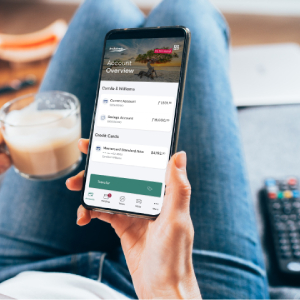
Note that merchants must be registered with Sentoo to enable Sentoo payments. Ensure your favorite businesses are signed up so you can enjoy seamless and secure payments anytime and anywhere. Using your Aruba Bank Online® or Aruba Bank App® to validate payments, all payment details will be pre-filled, making your checkout process faster and error-free.
Benefits
-
Benefits of Sentoo
-
How Sentoo Works
Benefits of Sentoo for You as a Client:
- Free of Charge: The Sentoo payment solution is completely free.
- Secure and Real-Time Payments: Enjoy secure transactions with instant processing in local currency.
- Convenient and Hassle-Free: Experience a seamless payment process with automatically filled payment details.
- No Manual Entries Needed: Avoid the hassle of manually entering payment information. Simply look for the Sentoo logo at checkout.
How it Works:
- Step 1: Click on Sentoo wherever you see the option as payment method. When you have the option upon check-out, select Sentoo.
- Step 2: Simply, scan our QR code or click our payment link: The available option will be presented to you.
- Step 3: Choose your bank: Select Aruba Bank from the bank options.
- Step 4: You are being redirected: Sentoo will redirect you to the Aruba Bank App® or Aruba Bank Online®.
- Step 5: Approve your payment using the normal approval flow on your device. You will notice that your payment details are pre-filled automatically.
- Step 6: Once approved, you will be redirected to your purchase confirmation screen. Payments are instantly processed with real-time confirmations, for both you and the merchant.
How it works - explained in 4 simple steps
Start with a short form on your computer or phone. Then continue on the phone you'll be activating: you scan your document and take a selfie, and we match your face with your ID photo.

Step 1: Request Link
On your computer or mobile device
Go to www.arubabank.com and open Request Activation Link.
-
Enter your exact Aruba Bank App® Username.
-
Within 5 to 10 minutes, you’ll receive an email to start the Onboarding Process. Check your Junk or Spam folder.
-
No email? Your Username may be incorrect.
Estimated time: About 1 minute
Step 2: Start Onboarding
On your mobile device
Open the email from noreply@arubabank.com, have your identification document ready and tap Start Onboarding.
- On a computer? Scan the QR code in the email with your phone.
- Follow the steps, accept the consent for biometric verification
and allow camera access.
Estimated time: About 30 seconds
Step 4: Click Activation Link
Within 5-10 minutes, you'll receive your Activation Link by email.
- Open the Activation Link on your mobile device with the Aruba Bank App® installed.
- Click the Activation Link in your email.
- Enter your Aruba Bank App Username
- Choose a
5-digit PIN code; Touch ID or Face ID optional.
Estimated time: About 1 minute
Secure, Fast, and Easy Payments with Sentoo
With Sentoo, enjoy seamless online transactions using your local bank account. Experience one-click payments and QR code scanning for quick, secure, and effortless transactions directly from Aruba Bank. Perfect for shopping, bills, and more in the Dutch Caribbean.
Want to see how it works? Watch our video, and discover the simplicity of paying with Sentoo.
Your Security
Built with your security in mind
Every step uses bank-grade verification. Your link is only released once we're certain it's you.
- Document verification: Your ID is scanned and checked for authenticity.
- Biometric liveness check: A live selfie confirms you're physically present and match your ID.
- Single-use, time-limited link: Your link works once and expires, so it can't be reused or shared.
- Verified email only: Sent only to the email address already on file, never to a new one.
- Only what's needed: We collect only the information required to confirm your identity.
- Encrypted end to end: All data is transmitted and stored in line with the bank's security standards.
- Biometric confirmation powered by Incode: Your identity confirmation (biometrics) is powered by Incode, using the highest levels of security. During the process, no personal information is revealed to third parties.
Convenience, without compromise.
-
What is an Activation Link?
An Activation Link allows you to activate the Aruba Bank App® and access your online banking services after completing the required verification steps.
-
How do I request a new Activation Link?
Visit www.arubabank.com, open Request Activation Link and enter your exact Aruba Bank App Username. If your Username is correct, you will receive an email with instructions to start Onboarding.
-
What do I need to request an Activation Link?
- Your exact Aruba Bank App Username.
- Your original, valid passport or driver's license.
- A mobile device with a working camera.
- The Aruba Bank App® installed on your phone.
- A stable internet connection.
-
What if I forgot my Username?For security reasons, your Username cannot be shared by email. Please contact our Contact Center at 527 7777 during office hours for assistance.
-
Why haven't I received an email?If your Username is correct, you should receive an email within 5 minutes. Check your Junk or Spam folder. If your Username is incorrect, you will not receive an email from Aruba Bank.
-
Can I complete Onboarding on my computer?No. The Onboarding Process must be completed on your mobile device. If you open the email on your computer, scan the QR code in the email using your phone to continue.
-
What if my identity verification fails?Make sure you are using your original, valid identification document. Use good lighting, avoid glare and shadows, and follow the instructions on your screen. If you continue to experience difficulties, contact our Contact Center for assistance.
-
How long does the process take?Completing the request form takes about 1 minute, starting Onboarding takes about 30 seconds, and identity verification takes about 2 minutes. Email delivery may take up to 5 minutes at each relevant stage.
-
Can I use my Activation Link more than once?No. Your Activation Link can only be used once and will expire. Open it on your mobile device with the Aruba Bank App® installed and complete your activation promptly.
-
Who can I contact for assistance?Contact the Aruba Bank Contact Center at 527 7777 during office hours for assistance.